Your Excel macro breaks, and nobody on the team can fix it. That single VBA script often holds together scheduling, attendance, and reporting for an entire operation, so one error can stall work for days.
This article explains how Tasks.Bot replaces macro-driven workflows with WhatsApp-native task automation, covering voice notes, deadline reminders, GPS attendance, and payroll-ready hours. You will also see pricing, beta status, and who should switch, so you can decide whether to keep patching VBA or move to a mobile-first tool.
What Is Tasks.Bot and How Does It Replace Excel Macro Automation?
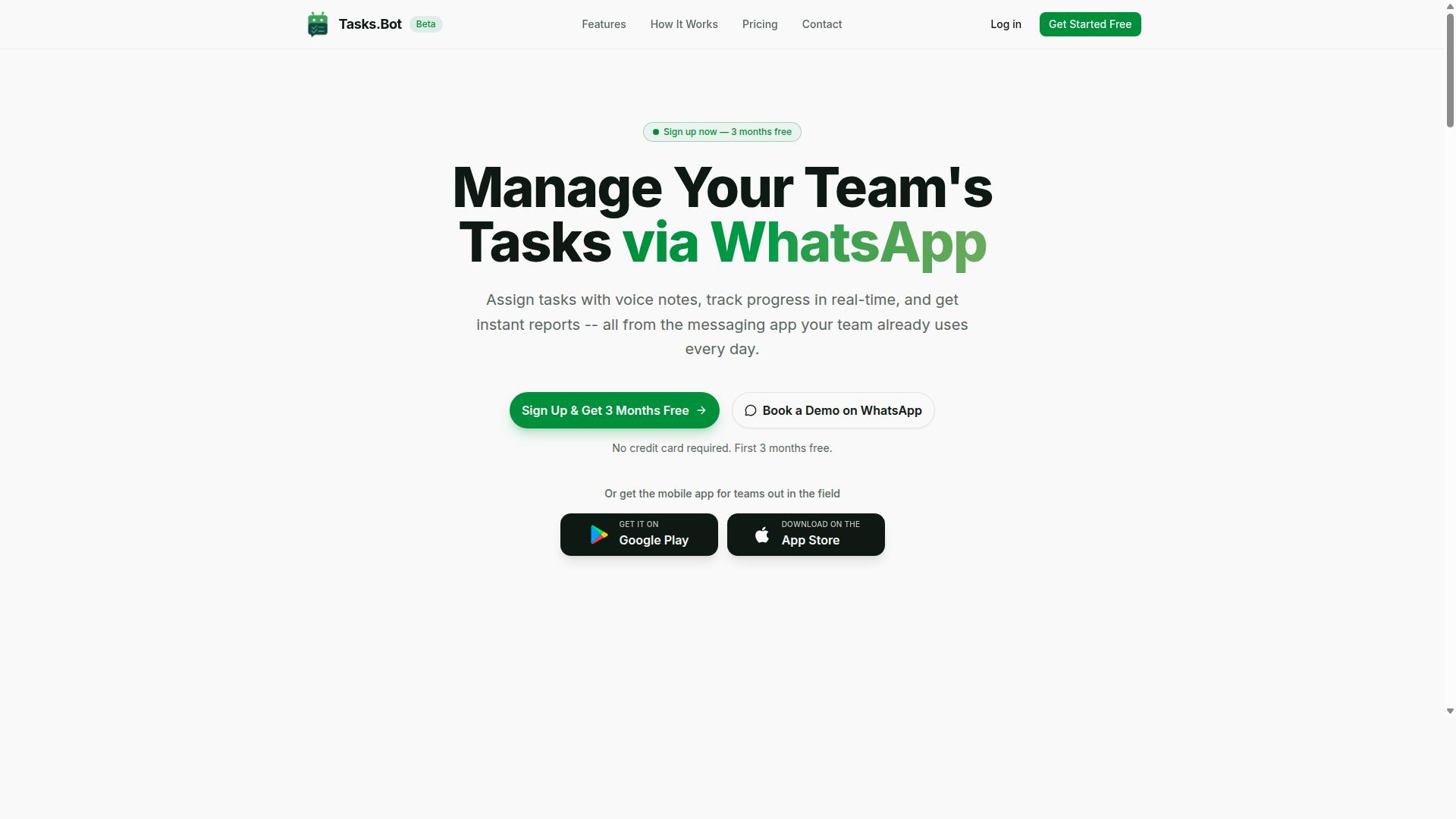
Tasks.Bot is a task management platform that operates entirely within WhatsApp, enabling teams to assign tasks, track progress, and receive reports without leaving the messaging app. It is a SaaS product available globally, currently in beta, and it targets the same problem that Excel macro replacement automation was built to solve: repetitive manual work that eats into productive hours.
Where a traditional macro lives inside a spreadsheet file, Tasks.Bot lives inside a conversation. Team members do not install anything or create new accounts. They simply message or send a voice note, and the platform turns that input into an assigned, trackable task.
This makes it a genuine VBA alternative for teams whose real bottleneck is coordination, not calculation. A macro can reformat a column or merge two sheets. It cannot confirm that a warehouse lead actually saw the request, chase a late approval, or capture a field agent's location. Tasks.Bot handles those coordination layers as no-code automation, with no scripting required.
For anyone weighing Excel macro replacement, the practical difference comes down to who can build and maintain the automation:
- Excel macros require a developer to write, debug, and update VBA or Office Scripts.
- Tasks.Bot requires only a message in plain language.
- Macros break silently when a file moves or a column changes.
- Tasks.Bot keeps the workflow visible to everyone in the chat.
The platform also offers a mobile app for field teams, face-verified attendance, and live GPS tracking for field staff. Enterprise-grade encryption protects conversations and task data, which are never shared or used for training. A 3-month free trial is available with no credit card required.
From VBA Scripts to WhatsApp-Native Task Automation
Transitioning from VBA scripts to WhatsApp-native automation means moving away from complex, error-prone macros to a conversational interface that team members already use daily. That shift matters because the hardest part of spreadsheet automation has never been the code itself. It has been the training, the documentation, and the person who has to fix things when the macro fails.
VBA development follows a predictable, heavy cycle. Someone writes the script, someone tests it, someone documents it, and someone else inherits it months later with no context. Debugging requires reading code line by line. Maintenance requires the original author or a replacement who understands the logic. Every change to the underlying workbook risks breaking the whole chain.
Tasks.Bot replaces that cycle with natural language. The platform uses AI to understand natural language and voice notes for task creation, so a manager can speak a request and have it become a structured assignment with reminders attached. There is no syntax to learn and no macro recorder to configure.
The reduction in training overhead is the quiet advantage. Non-technical staff, field crews, and frontline supervisors can all participate in task automation from day one, using an app they already know. Nothing new to install, no new account to create, no coding skills to acquire.
This is not a claim that every macro should disappear. Teams running heavy numerical modeling in Microsoft Excel will still rely on formulas and, in some cases, Office Scripts or Python scripting. But for the coordination work that surrounds the spreadsheet, the recurring reminders, approvals, status checks, and follow-ups, a conversational platform removes the technical barrier that kept most staff on the sidelines.
Compared with heavier options such as RPA suites or desktop automation tools, Tasks.Bot asks far less of the user. There is no bot to deploy, no workflow canvas to learn, and no separate dashboard to check. The automation lives where the conversation already happens.
The verdict for teams evaluating Excel macro replacement automation is straightforward. If the goal is to remove repetitive coordination work without hiring developers or running a training program, Tasks.Bot delivers it through WhatsApp, with encryption, field-team features, and a free trial that lets a team validate the fit before committing.
Can Tasks.Bot Actually Replace Excel Macros for Your Team?
Determining whether Tasks.Bot can replace Excel macros depends on the specific tasks your team automates and the environment in which they work. For many teams, especially those running field operations over WhatsApp, the answer is a confident yes for the workflow layer that macros were never good at anyway.
Tasks.Bot is a task management service that operates entirely within WhatsApp. It handles voice note task creation, automatic task assignment, smart deadline reminders, approvals, and instant reports, all without requiring team members to install anything or create new accounts. That matters because the teams most dependent on brittle spreadsheets are often the least able to adopt new software.
The honest assessment is this: Tasks.Bot is not a spreadsheet calculation engine. It will not replicate a macro that crunches thousands of rows of financial data inside Microsoft Excel. What it does replace is the coordination layer that teams awkwardly bolt onto Excel with VBA, scheduled tasks, and email reminders.
If your team uses WhatsApp for communication and needs field-friendly automation, Tasks.Bot is built for exactly that scenario. Teams with field staff handling task management, attendance tracking, and payroll-ready hours are the core audience, and the service reports hundreds of teams already using it. A 3-month free trial with no credit card required makes the evaluation low-risk.
What Tasks.Bot Automates That Macros Used to Handle
Tasks.Bot automates core workflows that teams often built Excel macros for, such as assigning tasks, sending reminders, collecting approvals, and generating reports. The difference is that these run as trigger-based automation inside a messaging app rather than as code attached to a workbook.
Here is what the platform covers, drawn from its documented feature set:
- Voice note task creation: team members speak a task instead of typing it into a spreadsheet cell. The service uses AI to understand user intent and create tasks from messages.
- Automatic task assignment: work is routed to the right person, replacing manual dropdowns or macro-driven allocation.
- Smart deadline reminders: instead of a macro that emails reminders, Tasks.Bot sends WhatsApp notifications where people actually read them.
- Approvals and automations: sign-off flows move through chat rather than inbox threads.
- Instant reports: summaries generate on demand, without opening a file or running a script.
Beyond the workflow basics, the platform adds capabilities no macro could deliver: tasks on a map, a live day tracker, face-verified attendance, and shifts, leave, and hours management. Native WhatsApp integration, plus Android and iOS apps with push notifications, voice capture, and a home screen widget, keep everything accessible.
These features sit within the Full Access plan. For a team that once maintained a VBA alternative for reminders and reporting, that is a meaningful consolidation of effort.
Where Excel Macros Still Fall Short - and How Tasks.Bot Closes the Gap
Excel macros struggle with mobile accessibility, real-time collaboration, and integration with messaging platforms, gaps that Tasks.Bot fills by design. A macro lives on a desktop, waits for someone to trigger it, and breaks the moment the person who wrote it leaves the team.
The specific limitations are well known to anyone who has maintained a legacy macro migration:
- Desktop-bound: a field worker with a phone cannot run your VBA script.
- Manual triggering: someone has to open the file and press run, which defeats the purpose of scheduled tasks.
- No mobile support: spreadsheet automation rarely translates to a usable phone experience.
- Hard to maintain: macro logic is fragile, undocumented, and often tied to one person's knowledge.
Tasks.Bot addresses each of these through cloud automation rather than desktop automation. It operates on WhatsApp, so it is mobile-first by default. Tasks are triggered through natural language and voice notes, not buttons. Updates appear in real time across the team, and nothing needs to be installed.
There is also an accuracy argument. AI that understands context reduces the errors common in rigid macro logic, where a single changed column or renamed sheet can silently break a workflow. Enterprise-grade encryption protects the data, and conversations and task data are never shared or used for training.
Where macros remain the better tool is genuine in-Excel data manipulation: complex formulas, large-scale calculations, and workbook-specific transformations. Tools like Office Scripts, Power Automate, Python scripting, and Google Apps Script also serve that niche. Tasks.Bot is not competing there. It competes with the coordination work that should never have lived in a spreadsheet in the first place.
The verdict is straightforward. If your automation need is assigning work, chasing deadlines, collecting approvals, and reporting progress, Tasks.Bot replaces the macro and does it better. Keep Excel for the math, and let WhatsApp handle the people.
Key Features That Make Tasks.Bot a Practical Macro Replacement
Tasks.Bot offers a suite of features designed to replace macro-driven workflows with conversational, AI-powered automation. Instead of maintaining VBA code that breaks when a spreadsheet changes, teams interact with a bot that understands intent and acts on it.
Three capabilities matter most for anyone weighing a macro-free approach: natural language input, automatic reminders and reporting, and verified attendance tracking for field staff. Together they cover the everyday jobs that Excel macro replacement projects usually target, such as assigning work, chasing deadlines, and compiling status updates.
These features sit inside the Full Access plan and are built around WhatsApp rather than a desktop client. That distinction matters for teams with field staff, who may never open a laptop during a shift but check messages constantly. The same reasoning applies when comparing Tasks.Bot with Karo.bot: the question is less about raw automation power and more about whether the tool fits how your people already communicate.
Voice Note Task Creation and AI Natural Language Input
Creating tasks in Tasks.Bot is as simple as sending a voice note or typing a message in natural language, thanks to its AI-powered input system. A manager can say, "Assign John to call the client tomorrow at 3 PM," and the bot interprets the instruction, creates the task, and sets the reminder.
This is the clearest departure from a VBA alternative mindset. Writing a macro to parse an email or a form submission means defining fields, handling edge cases, and testing against messy real-world input. Natural language input skips that build phase entirely. The AI understands user intent and creates tasks from messages without a developer in the loop.
The practical benefits compound over time:
- Less training. Staff type or speak the way they normally would instead of learning a form or a syntax.
- Fewer errors. No broken references when a column moves or a sheet is renamed.
- Faster adoption. The interface is a chat window people already use daily.
Tasks.Bot also provides Android and iOS apps with voice capture, push notifications, and a home screen widget, so input does not depend on being at a desk. For a no-code automation rollout, that removes the biggest friction point: getting people to actually log the work.
Smart Deadline Reminders, Approvals, and Instant Reports
Tasks.Bot automates deadline reminders, approval chains, and report generation, eliminating the need for manual tracking or macro-triggered emails. Reminders are sent automatically via WhatsApp based on each task's deadline, so follow-up happens without anyone remembering to send it.
Approvals work in a similar event-driven way. When a task requires sign-off, the approver is notified instantly through the same channel. This mirrors what teams often try to build with scheduled tasks or trigger-based automation in tools like Power Automate, but without the connector setup and maintenance that those builds demand.
Reporting is equally direct. Status updates, completion rates, and team performance summaries are generated on demand rather than compiled by hand. Consider the common macro use case of a Monday morning email that pulls figures from a workbook and sends a summary. That entire chain, opening the file, running the macro, formatting output, sending mail, is replaced by a request in chat.
For teams migrating away from legacy macro setups, the appeal is not just speed. It is that workflow automation lives where the conversation already happens, so nothing depends on one person's machine being switched on or one file staying in the right folder.
Face-Verified Attendance, GPS Tracking, and Payroll-Ready Hours
For teams with field staff, Tasks.Bot includes face-verified attendance, GPS tracking, and payroll-ready hour tracking, features that Excel macros cannot easily replicate. A spreadsheet can record a timestamp, but it cannot confirm who was actually present or where.
Face verification addresses the honesty problem that manual timesheets and macro-based attendance logs share. GPS tracking confirms location alongside the check-in, which matters for distributed crews working across sites. Hours are then calculated automatically and prepared for payroll, removing the manual reconciliation step that typically follows a pay period.
Tasks.Bot also includes shifts, leave, and hours management, plus a live day tracker and a tasks-on-a-map view. For a WhatsApp-based task automation setup, this means attendance and scheduling sit alongside the work itself rather than in a separate system.
This is where the comparison with desktop automation tools becomes concrete. RPA and Python scripting can move data between systems, but they still depend on a verified input. If the underlying attendance record is a guess, automating the payroll export just moves the error faster. Verified capture at the source is the part that macro replacement projects most often overlook, and it is the part field teams feel immediately.
Pricing and Plans
Tasks.Bot offers a single 'Full Access' plan that includes all features, with pricing available in Indian Rupees and US Dollars. There are no confusing tiers, no feature gates, and no upsells to decode. That simplicity matters when you are comparing an automation platform against the true cost of maintaining Excel macros.
Legacy macro migration often means hidden expenses: developer time, debugging, and downtime when a file breaks. A flat, transparent plan removes that uncertainty from your Excel macro replacement decision.
| Plan | Price | Billing |
|---|---|---|
| Monthly | ₹200 per member per month | Billed monthly |
| Annual | ₹1,200 per year per member | Billed yearly, save 50%, save ₹1,200/yr per member |
Pricing is displayed with a 'Select currency' option for Indian Rupee and US Dollar, so verify the currency before you check out. The annual option works out to roughly half the monthly rate over twelve months.
Every plan includes the full feature set. That covers voice note task creation, reminders, approvals, reports, and attendance tracking. Nothing is locked behind a higher tier.
For teams weighing no-code automation against a VBA alternative, this structure is easy to budget. You pay per member, and each member gets the same capabilities.
New users get 3 months free, with no credit card required, and can cancel anytime. The service is currently in beta, and a refund policy exists, which lowers the risk of trying it before committing.
If you are planning a move away from spreadsheet automation tied to fragile macros, the free period gives you room to test whether the platform fits your workflows before any payment is made.
Trust Signals: Beta Status, Refund Policy, and Early Adopters
Tasks.Bot is currently in beta, with a refund policy in place and hundreds of teams already using the platform. For anyone weighing a move away from VBA macros toward a modern automation platform, those three signals matter more than a polished marketing page.
They tell you the product is real, the risk of trying it is low, and other people have already made the same leap you are considering.
Beta Status as an Early Adopter Opportunity
Beta software carries a certain reputation. Many buyers assume it means unstable, incomplete, or not ready for real work. In practice, beta status often means the opposite for the right kind of user.
A platform in beta is still being shaped. Feedback from active users tends to reach the product team faster, and that influence is something late adopters rarely get. Teams already running Excel automation through Tasks.Bot have a chance to steer how the tool handles their specific workflows.
That matters for anyone replacing legacy macro migration projects. Every organization's spreadsheets carry quirks: odd formulas, fragile dependencies, hardcoded paths. An early adopter can flag those edge cases while the product is still flexible.
- Early users often get closer access to the team building the product
- Feature requests carry more weight before a product locks its roadmap
- Feedback loops are shorter when a user base is still growing
The tradeoff is honest and worth stating plainly. Beta software can change, and some edges may still be rough. For teams with tolerance for that, the upside is a workflow automation setup built partly around their own needs.
Refund Policy as a Risk-Free Trial
The site mentions a refund policy in the footer, and that detail deserves more attention than footers usually get. A refund policy turns a purchase decision into something closer to a trial.
That is a meaningful signal for anyone comparing a VBA alternative against sticking with existing macros. Migrating spreadsheet automation always carries switching costs: time to rebuild logic, effort to test outputs, and the risk that a new tool simply does not fit.
A refund policy removes most of that downside. If Tasks.Bot does not handle a team's Excel automation needs, the financial exposure is limited. That lowers the barrier for a pilot project, which is usually the smartest way to evaluate any no-code automation platform.
It also says something about confidence. Companies that expect churn rarely offer easy exits. A published refund policy suggests the team believes most users will stay once they try the product.
Hundreds of Teams Already Using Tasks.Bot
Hundreds of teams are already using the platform, according to the verified facts. That number matters because it moves Tasks.Bot out of the "unknown experiment" category.
Early traction is one of the few honest signals available for any young SaaS product. A tool with hundreds of active teams has survived contact with real workloads, real spreadsheets, and real deadlines. It has been tested by people who were not the founders.
For someone weighing bot automation against Python scripting, JavaScript automation, or Office Scripts, that traction is useful context. It suggests the platform handles practical spreadsheet automation tasks, not just demo scenarios.
It also means a community is forming. Questions asked by one team often have answers from another, and patterns that work in one workflow tend to spread. That kind of momentum is hard to fake and slow to build.
How to Get Started with a Demo
The website includes a 'Book a Demo on WhatsApp' option, which is a notably low-friction way to begin. No lengthy form, no waiting on an email sequence. A direct conversation about whether the platform fits a specific Excel macro replacement need.
That format suits the audience well. Teams migrating away from VBA usually have concrete questions: can this handle our scheduled tasks? Does it connect to the systems we already use? A live demo is often the fastest way to get real answers instead of guessing from a feature page.
The sensible path for most teams looks like this:
- Book a demo on WhatsApp and describe the current macro setup
- Identify the workflows that cause the most pain today
- Run a small pilot using the refund policy as a safety net
- Expand once the results hold up under real conditions
Beta status, a refund policy, hundreds of active teams, and a direct demo channel add up to a clear picture. Tasks.Bot is a legitimate, low-risk option for teams ready to move past legacy macros toward modern task automation.
Who Should Use Tasks.Bot Instead of Excel Macros
Tasks.Bot is ideal for teams that rely on WhatsApp for communication, especially those with field staff who need task management, attendance tracking, and payroll-ready hours. The platform is built around the tools these teams already use every day, which means there is no new app to install, no training week to schedule, and no dashboard that half the crew forgets to open.
If your current Excel macro replacement strategy depends on a workbook that only one person truly understands, that is a strong signal you are in the right audience for Tasks.Bot. Hundreds of teams already use the service, and the pattern is consistent: they were maintaining VBA code that broke, or chasing spreadsheets across phones, and they wanted something simpler.
Below are the clearest profiles where Tasks.Bot fits better than a macro-driven workbook, followed by the cases where Excel still makes sense.
Teams that live in WhatsApp. For many field and remote crews, WhatsApp is already the communication layer. Adding task assignment and tracking to that same channel removes the friction of a separate tool. A no-code automation platform built on WhatsApp fits the way these teams actually work, rather than forcing a new habit.
Teams with field or remote workers. When staff are on site, in transit, or spread across locations, desktop-bound tools fail. Excel macros and VBA alternatives generally assume someone is sitting at a computer with the file open. Tasks.Bot is designed for people who need to receive tasks, confirm attendance, and log hours from wherever they are.
Teams that need simple task assignment and tracking. Not every operation needs robotic process automation or a full RPA stack. If the job is assigning a task, confirming it was done, and recording the hours, a lightweight task automation tool covers it without the overhead of script maintenance.
Teams tired of macro maintenance. Macros break when columns shift, when a new Excel version arrives, or when the original author leaves. A cloud automation approach moves that burden off your team. This is the core appeal of macro-free automation: the logic lives in a service, not in a fragile file.
Teams that need mobile accessibility. A spreadsheet is a poor interface on a phone. Attendance tracking and payroll-ready hours are far easier to capture when the entry point is a messaging app rather than a grid of cells.
Where Excel macros still make sense. None of this means spreadsheets are obsolete. If your work centers on complex data analysis inside Microsoft Excel, heavy financial modeling, or calculations that depend on dozens of linked worksheets, keeping that work in Excel is reasonable. Options like Office Scripts, Power Automate, or Python scripting may suit teams whose problems are genuinely computational rather than operational.
The practical split is straightforward. Use Excel for analysis. Use Tasks.Bot when the real need is getting work assigned, confirmed, and paid, especially across a mobile or field-based team.
The verdict. For teams on WhatsApp with field or remote staff, Tasks.Bot is a strong fit and a sensible replacement for macro-dependent tracking. It removes the maintenance burden, works where your people already are, and keeps task management, attendance, and hours in one place. If your bottleneck is a spreadsheet you are afraid to touch, that is your answer.
Final Verdict
Tasks.Bot presents a compelling alternative to Excel macros for teams seeking mobile, conversational task automation within WhatsApp. It is not a like-for-like replacement for Microsoft Excel, and it does not try to be. Instead, it targets a specific gap: field teams and small operations that need simple, trigger-based automation without writing VBA, Python scripting, or JavaScript automation.
For anyone weighing a VBA alternative or exploring no-code automation, the trade-offs are worth understanding before committing.
Where Tasks.Bot stands out:
- WhatsApp-native: Automation happens where many teams already coordinate, so adoption is easier than rolling out a new dashboard or desktop tool.
- AI-powered: Conversational handling of task requests reduces the learning curve compared with formula-driven or script-driven approaches.
- No-code: Users do not need programming knowledge, which matters for teams without developers on hand.
- Feature-rich for field teams: The design favors mobile, on-the-go task automation rather than heavy spreadsheet work.
Limitations to keep in mind: Tasks.Bot is not a full Excel replacement for complex data tasks. Workloads that depend on intricate formulas, large datasets, or advanced spreadsheet logic still belong in Microsoft Excel or a dedicated spreadsheet automation tool. Tasks.Bot is also currently in beta, so buyers should expect the product to evolve.
For heavier workflow automation needs, tools such as Power Automate, Zapier, Make.com, UiPath, Automation Anywhere, and Blue Prism occupy a different space, covering API integration, webhook support, and enterprise-grade robotic process automation. Those platforms serve different use cases and are generally more complex to set up. Tasks.Bot sits at the simpler, conversational end of that spectrum.
Who should consider Tasks.Bot: If your team already runs on WhatsApp and needs straightforward, mobile-friendly automation, Tasks.Bot is a strong fit. It suits small and mid-sized teams replacing fragile legacy macro migration projects with something lighter. Teams needing scheduled tasks, event-driven workflows, or Excel add-in level control should evaluate whether the current beta feature set covers their requirements, or pair Tasks.Bot with a spreadsheet tool for the data-heavy portions of their work.
For further inquiries, reach the Tasks.Bot team by phone at +91 97143 42522 or by email at [email protected].
Frequently Asked Questions
What makes Tasks.Bot different from Karo.bot for replacing Excel macros?
Tasks.Bot runs entirely inside WhatsApp, so your team can assign tasks, track progress, and get reports without installing anything or creating new accounts. It also uses AI to understand natural language and voice notes, which means you can turn a quick message into a structured task instead of building or maintaining a macro. If your team already coordinates on WhatsApp, this removes the biggest barrier to switching away from spreadsheet automation.
Do my team members need to install an app or learn a new tool to use Tasks.Bot?
No. Tasks.Bot operates via WhatsApp, so team members don't need to install anything or create new accounts to get started. A mobile app is also available for field teams who need it. This makes adoption much easier than migrating everyone to a separate task platform.
How much does Tasks.Bot cost compared to Karo.bot?
Tasks.Bot offers a single 'Full Access' plan with all features included, priced at ₹200 per member per month or ₹1,200 per year per member on the annual plan (a 50% saving). Pricing is available in both Indian Rupees and US Dollars. For Karo.bot's current pricing, check their website directly, as we can only speak to our own plans.
Can Tasks.Bot handle the kinds of repetitive, rule-based work I used Excel macros for?
Yes. Tasks.Bot supports approvals and automations, automatic task assignment, and smart deadline reminders, which cover many of the repetitive workflows people build macros for. You can also create tasks by voice note or natural language, so setting up a recurring process takes seconds rather than VBA code. Instant reports then replace the manual spreadsheet summaries you'd otherwise compile.
Does Tasks.Bot work for field teams, or is it only for office-based staff?
Tasks.Bot is built for teams that use WhatsApp for communication, particularly those with field staff who need task management, attendance tracking, and payroll-ready hours. It includes a mobile app, tasks on a map, live day tracking, and face-verified attendance. That makes it a strong fit for teams currently relying on Excel sheets passed around on phones.
How do I try Tasks.Bot before committing?
You can book a demo on WhatsApp directly from the Tasks.Bot website, which lets you see the workflow in the same app your team already uses. The service is currently in beta and a refund policy is mentioned in the site footer. For questions, reach out at [email protected] or +91 97143 42522.
Recommended Resources: